
Put a math problem on the wheel, give it a spin, and make the next question a small classroom event. With iPrizeWheel on an iPad or iPhone, you can turn addition, subtraction, multiplication and division practice into a teacher-led activity.
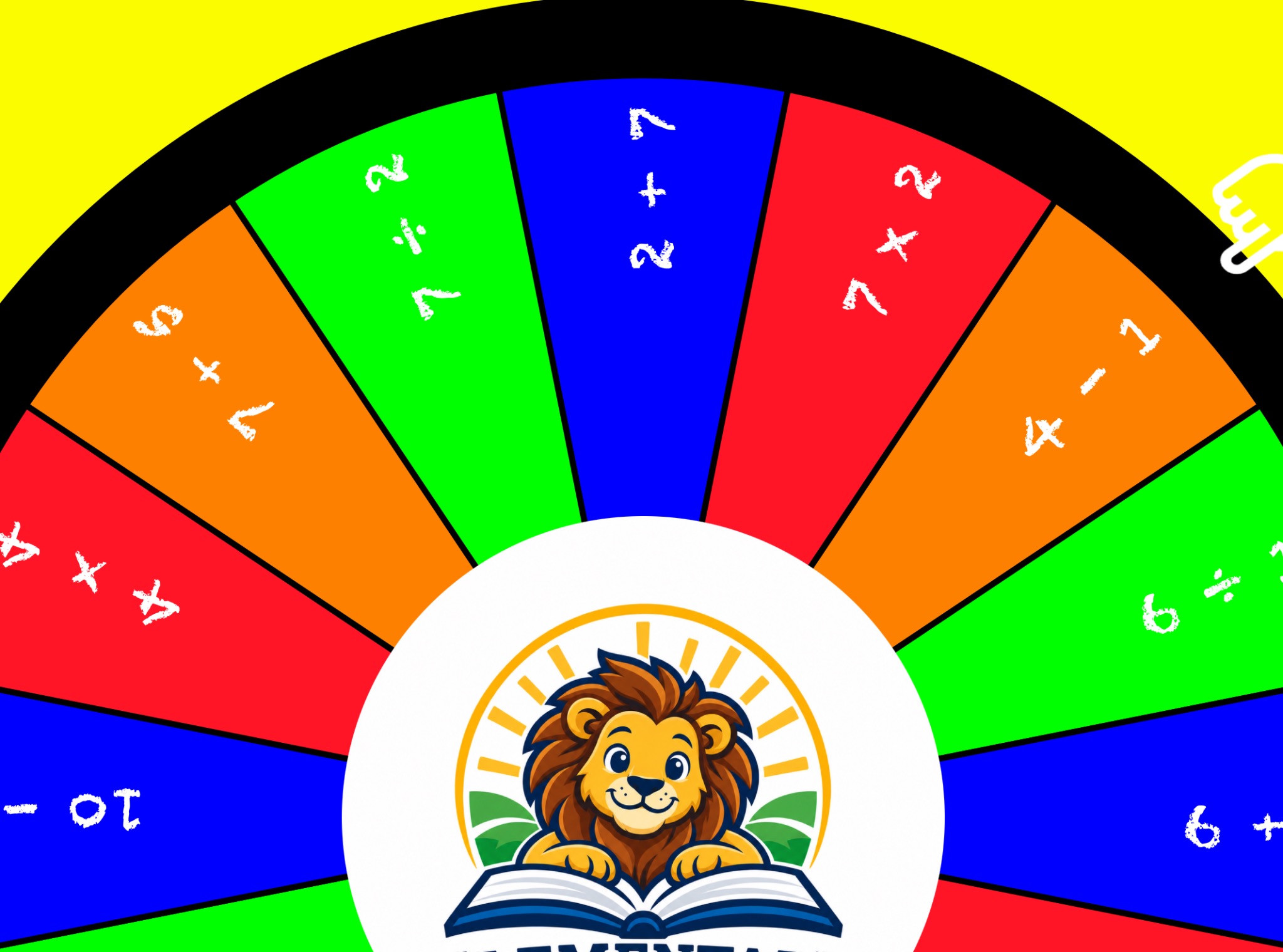
This elementary-school demo shows one way to build it: 16 colorful panels with short arithmetic problems, a lion school logo in the center, chalk-style lettering and a pointing-hand arrow. It is an example setup you can adapt to your own class.
The demo uses questions such as 2 + 7, 4 − 1, 10 ÷ 5 and 4 × 4 directly on the wheel. A full-wheel view shows the whole set, while the closer original view gives the panels and center logo more space on screen.
The custom end sound uses a child’s “hummm” in place of the usual prize ding. Paired with the “SOLVE THIS EQUATION” message, it turns the result into a prompt to think. This demo uses the 7-second spin option rather than the shorter 3-second setting.
Create a 16-panel campaign and enter short problems that fit what your students have learned. Keep the text large enough to read, and try the wheel on the screen you plan to use before class.
For longer questions, label the panels 1 through 16 and keep a matching prompt list beside you. This lets you swap questions between lessons without squeezing a long problem onto a panel. The prompt bank below gives you a ready-to-use example.
You can keep the setup simple or add the details shown in this demo. Here is how the editions compare:
See the edition feature comparison and setup FAQ for details. Check your school’s app-purchase process before buying for a school-managed device.
Spin once, read the selected problem aloud and write it where everyone can see it. Give students time to solve it individually or with a partner. Then invite someone to explain how they reached their answer.
Try three spins as a warm-up or return to the wheel at the end of a lesson. If the same panel comes up again, ask for another solution method or choose a different prompt yourself. The activity does not depend on every panel appearing once.
Keep the wheel teacher-operated and data collection turned off. Students can answer on paper or a classroom whiteboard. Choose the questions and pace that fit your class; no prizes or student names are needed.
The 16 prompts and answers below are a separate numbered-wheel activity. They mix arithmetic, fractions, decimals, order of operations and perimeter, so adapt them to your students rather than treating them as a grade-level assessment.
For another subject, keep the numbered wheel and replace the paper prompts with vocabulary definitions, reading questions or a review of yesterday’s lesson.
Available for iPhone and iPad. Starting at $9.99 with no monthly fees ever. Optional in-app upgrades are sold separately. U.S. App Store pricing shown.
View iPrizeWheel on the App Store
These are suggested questions to enter yourself, rather than built-in app content. For this version of the activity, enter only the panel numbers into the app and retain the prompts and answers separately. Keep the answer column available to teachers, not projected alongside the question during play.
| Panel | Prompt | Answer |
|---|---|---|
| 1 | 18 + 7 | 25 |
| 2 | 42 − 16 | 26 |
| 3 | 6 × 7 | 42 |
| 4 | 56 ÷ 8 | 7 |
| 5 | 125 + 75 | 200 |
| 6 | 90 − 38 | 52 |
| 7 | 9 × 4 | 36 |
| 8 | 72 ÷ 9 | 8 |
| 9 | Half of 30 | 15 |
| 10 | One quarter of 20 | 5 |
| 11 | 3 × (4 + 2) | 18 |
| 12 | 100 − 6 × 8 | 52 |
| 13 | 0.5 + 0.25 | 0.75 |
| 14 | 2.4 − 0.9 | 1.5 |
| 15 | Perimeter of a rectangle with sides 3 and 5 units | 16 units |
| 16 | Double each time: 3, 6, 12, 24. What comes next? | 48 |
©2024 iPrizeWheel, A Division Of NRT Media, Inc. - All Rights Reserved